Self-portraits (Illustrator)
Adobe illustrator is a powerful tool that can be used within graphic design. Illustrator allows designs to be resized without losing quality whilst also allowing a designer to create their own unique shapes. It is the best application to use when you are designing a product that will be printed (such as a billboard image).
This makes illustrator a very good application for graphics that are going to be printed on signs or on banners
Adobe n.d.
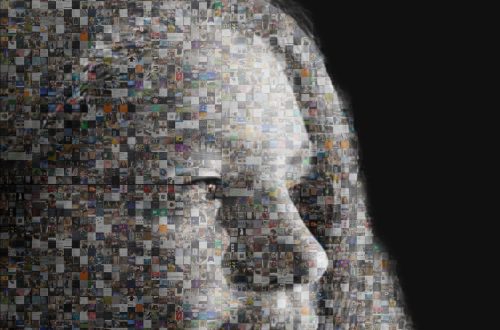
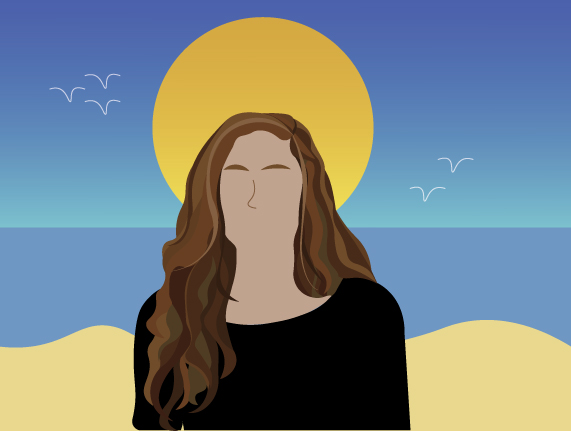
For the first portrait I wanted to have a clear focal point which I decided was the hair. To ensure it stood out as the key point, I added the most detail in the hair and progressively added less detail as you move closer to the background, similarly, having no eyes in the portrait prevents any misinterpretation.
Having an unembellished background will help target the detailed focal point as well as implying that the seaside is simplistic and calming, however it subtly connotes the idea that the seaside is boring and not engaging.
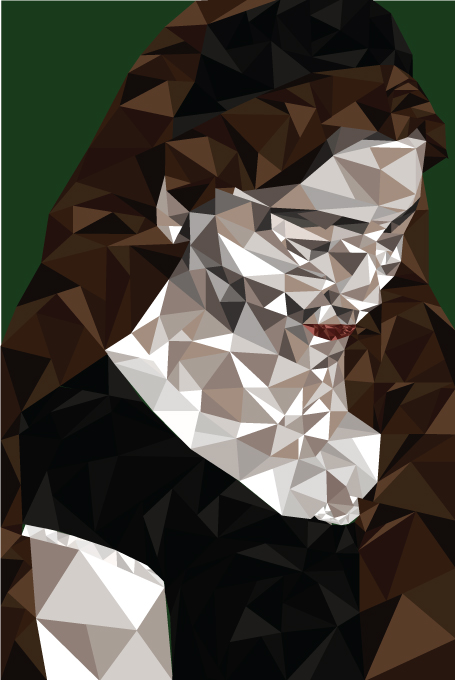
For the second self-portrait I used a geometric design to replicate the idea of something that is crystal. An issue that I had with using illustrator is that when creating a new triangle next to an existing triangle, it would create a new anchor point on the existing triangle, rather than creating a new. To fix this issue I locked the layer the triangle was on –after it was the correct shape and colour- as locking the layer means you cannot change or adjust the object on that layer.
References
adobe. (n.d.). When to use Illustrator vs. Photoshop | Adobe. [online] Available at: https://www.adobe.com/creativecloud/design/illustrator-vs-photoshop.html#:~:text=Graphic%20designers%20use%20Illustrator%20to. [Accessed 12/12/2023]